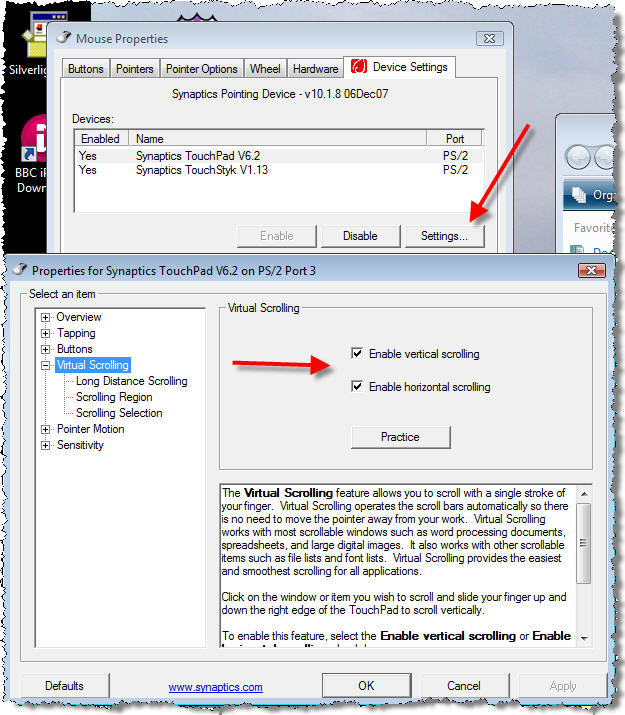
I've just updated my Synaptics touchpad drivers and after a restart the scrolling no longer worked. I did the obvious, check the settings and "do a google" but could not find the solution anywhere. I then went back to the settings and then noticed a sub-settings option for the touchpad in the Device Settings tab. Select Synaptics TouchPad and then click the Settings... button. A further properties dialog will appear with a Virtual Scrolling option. Select this option and then enable your scrolling.